

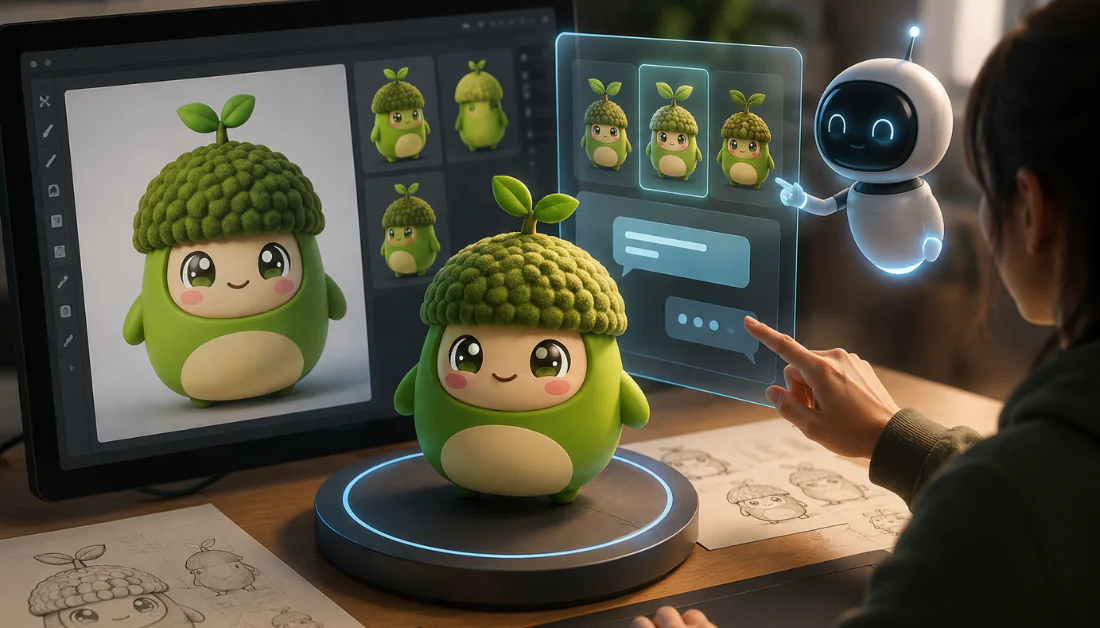
The landscape of digital content creation is experiencing a profound paradigm shift. For decades, 3D content creation was restricted to highly trained artists, animators, and CAD technical specialists using software like Autodesk Maya, Blender, ZBrush, and Cinema 4D. Building high-quality 3D assets required hundreds of hours of painstaking manual polygonal modeling, UV unwrapping, digital sculpting, texture painting, and shader setup.
However, generative artificial intelligence has rapidly expanded into the realm of three-dimensional geometry. Leading this technological revolution is Meshy AI (https.www.meshy.ai), an AI-powered platform designed to turn text prompts and 2D images into production-ready 3D assets in seconds. By automating intricate 3D modeling pipelines, Meshy AI aims to democratize asset generation for game developers, indie filmmakers, AR/VR creators, product designers, and 3D printing enthusiasts.
In this comprehensive, in-depth review, we will explore Meshy AI’s core capabilities, underlying text-to-3D and image-to-3D architecture, texture customization engine, real-world asset quality, pricing plans, commercial licensing, and comparative standing against rivals like Tripo AI, Luma AI, Rodin AI, and Sloyd.
What is Meshy AI?
Meshy AI is an advanced web-based generative AI platform specialized in 3D asset generation and AI-driven texture creation. Rather than requiring manual polygonal extrusions or vector manipulations, Meshy allows users to type descriptive text prompts or upload 2D images (such as concept art, photos, or digital sketches) to generate textured, UV-unwrapped 3D models.
The primary philosophy behind Meshy AI is speed, accessibility, and high visual fidelity. It eliminates traditional workflow bottlenecks by serving as an end-to-end 3D copilot. Whether you need a stylized fantasy sword, a hyper-realistic furniture piece, or a complex environment prop, Meshy AI generates draft meshes and PBR (Physically Based Rendering) textures in under two minutes.
Company Overview
Founded by a team of machine learning researchers, computer graphics engineers, and veteran 3D artists, Meshy AI was created to solve the “3D content bottleneck” in interactive media. While 2D generative AI platforms like Midjourney and Stable Diffusion made image generation instant, game studios and immersive experience creators still struggled to source quality 3D models efficiently.
Meshy AI bridges this gap by leveraging generative diffusion networks alongside neural implicit representation models (such as NeRFs and Gaussian Splatting adaptation techniques) fine-tuned specifically on millions of clean, quad/tri-dominant 3D meshes and PBR texture maps. Headquartered as a fast-scaling AI venture, Meshy continuously updates its generative models—transitioning from its flagship Meshy 4 and Meshy 5 frameworks to its next-generation Meshy 6 engine—consistently improving topology clean-up, geometric sharpness, mesh symmetry, and high-resolution material generation.
Key Features of Meshy AI Explained
Meshy AI consolidates several cutting-edge generative tools into a single web user interface and API ecosystem. Below is a detailed breakdown of its core features:
-
Text-to-3D Generation: Generates fully textured 3D meshes directly from structured textual prompts.
-
Image-to-3D Generation: Converts single or multi-view 2D images, concept sketches, or photographs into volumetric 3D models.
-
AI Texturing (Text-to-Texture & Re-texturing): Applies high-definition PBR material maps (Albedo, Roughness, Metallic, Normal, and Emission) to existing untextured meshes or Meshy-generated assets.
-
Remesh & Poly-Count Optimization: Automatically re-topologizes high-poly generated meshes into optimized low-poly or mid-poly wireframes suited for real-time rendering engines.
-
Creative Lab & Prompt Enhancer: Integrated prompt expanders that refine plain user text into detailed visual style instructions to yield superior geometric output.
-
Multi-Format Native Exporting: Offers seamless export paths to industry-standard formats including GLB, FBX, OBJ, STL, USDZ, 3MF, BLEND, and DXF.
-
Direct Engine & DCC Plugins: Integrates via native plugins with Blender, Unity, Unreal Engine, Maya, 3ds Max, and Godot.
AI-Powered 3D Model Generation
At the heart of Meshy AI is its proprietary generative pipeline. Traditional 3D generation tools often suffered from blobby geometries, distorted wireframes, and stretched surface UVs. Meshy AI solves these structural flaws through a two-stage generative process:
-
Preview Stage (Draft Mesh): The AI generates a rough geometric voxel representation or neural point cloud within 15 to 30 seconds. This allows creators to verify proportions, silhouettes, and basic form before spending full rendering credits.
-
Refine Stage (High-Detail Mesh & UV Mapping): Once approved, the platform applies geometric refinement algorithms, converting the draft into clean mesh surface geometry with automatically generated UV maps, baked ambient details, and crisp surface structures.
The platform intelligently distinguishes between organic forms (such as creatures, characters, and foliage) and hard-surface objects (such as vehicles, weapons, sci-fi machinery, and architectural structures), applying appropriate structural constraints to avoid unwanted surface warp.
Text-to-3D and Image-to-3D Technology
Text-to-3D Technology
The Text-to-3D engine utilizes large multimodal language-vision models trained to interpret spatial geometry from descriptive terms. By inputting prompts like “a realistic medieval leather shield with gold filigree and battle wear,” the model infers depth, volume, and material properties. Users can also specify art styles—such as Low Poly, Stylized Voxel, Hyper-Realistic PBR, Cyberpunk, or Hand-Painted Anime—and the AI adapts both the mesh complexity and material shading accordingly.
Image-to-3D Technology
Image-to-3D allows creators to bypass textual ambiguities by providing direct visual reference. By uploading a flat 2D image (PNG, JPG, or WebP), Meshy’s visual encoder reconstructs missing back-face geometries and occluded depth angles. This feature is invaluable for concept artists who want to turn flat character turnarounds or environment props directly into usable 3D assets within minutes.
AI Texturing and 3D Model Customization
One of Meshy AI’s standout capabilities is its standalone AI Texturing Engine. In standard 3D asset creation, unwrapping UV coordinates and hand-painting texture channels is often a tedious bottleneck.
Meshy’s texturing module allows creators to upload any existing 3D model (OBJ or FBX format) that lacks textures. By typing a descriptive prompt (e.g., “rusted iron with moss coverage and worn edge scratches”), Meshy automatically wraps full Physically Based Rendering (PBR) texture maps around the object’s UV channels.
Supported PBR Texture Channels Included:
-
Albedo (Base Color): Crisp diffuse color without baked fake lighting.
-
Roughness Map: Controls light diffusion across matte or glossy surfaces.
-
Metallic Map: Distinguishes conductively metallic regions from dielectric materials.
-
Normal Map: Simulates intricate surface scratches, pores, rivets, and fine geometric details without increasing polygon count.
-
Emission Map: Adds vibrant self-illumination maps for sci-fi, magic, or electronic components (available in Meshy 6 updates).
How Does Meshy AI Work?
Using Meshy AI is designed to be straight-forward and accessible right from a web browser:
-
Select Generation Mode: Choose between Text-to-3D, Image-to-3D, or AI Texturing on the dashboard.
-
Input Prompts or Files: Type a structured text prompt or upload a clear 2D source image.
-
Configure Settings: Set your target style (Realistic, Stylized, Cartoon, Voxel) and poly-count preferences.
-
Generate Draft Mesh: Click Generate to review a 360-degree interactive preview within ~30 seconds.
-
Refine & Retexture: Execute the refinement pipeline to convert the preview into high-resolution geometry with PBR texture maps.
-
Remesh & Download: Adjust polygon counts via the built-in remesher if needed, and export your asset in your preferred file format.
Supported 3D File Formats and Export Options
To ensure broad compatibility across real-time render engines, animation software, CAD tools, and 3D printing slicers, Meshy AI supports eight native file export formats:
| Format | Recommended Use Case | Key Features & Compatibility |
| GLB / glTF | Web 3D, Godot, Unity, General Use | Compact binary container embedding mesh, materials, and textures. |
| FBX | Unreal Engine, Maya, 3ds Max, Blender | Standard format for rigged, animated, or game engine pipelines. |
| OBJ | Universal 3D Software | Legacy, widely supported format accompanied by MTL material files. |
| STL | 3D Printing / Additive Manufacturing | Geometry-only surface mesh formatted specifically for slicer engines. |
| USDZ | Apple ARKit / iOS Augmented Reality | Optimized for mobile AR viewing across Apple ecosystems. |
| 3MF | Multi-Material & Color 3D Printing | Modern printing format supporting embedded color and texture metadata. |
| BLEND | Native Blender Integration | Opens directly in Blender with setup node trees. |
| DXF | CAD & CNC Machining | Vector/CAD interchange format for industrial modeling software. |
Meshy AI for Game Development, Animation and 3D Printing
1. Game Development
Game developers, particularly indie studios, benefit significantly from Meshy AI. Generating secondary environment props, background assets, loot items, modular dungeon tiles, and weapons manually consumes massive developer bandwidth. Meshy allows game developers to generate dozens of prop variations rapidly. Combined with native plugins for Unity, Unreal Engine, and Godot, assets can be imported directly into project scene hierarchies.
2. Animation & VFX
While AI-generated geometry often produces static meshes, Meshy’s clean re-topologized FBX exports make auto-rigging through tools like Adobe Mixamo or Blender’s Rigify straightforward. Character concepts and creature meshes can be generated, auto-remeshed to clean quad structures, and brought into animation pipelines smoothly.
3. 3D Printing & Physical Prototyping
For makers, miniature sculptors, and industrial designers, Meshy AI provides dedicated STL and 3MF exports. The engine creates watertight (manifold) meshes suitable for 3D slicing software such as Cura, PrusaSlicer, or Bambu Studio. While complex overhangs may still require support structures in your slicer, Meshy simplifies turning visual ideas into physical tabletop miniatures and custom decorative items.
Meshy AI Pricing Plans & Subscription Options
Meshy AI operates on a credit-based Freemium subscription model. Credits are consumed based on the model engine selected (e.g., Meshy 5 vs. Meshy 6) and task complexity.
| Plan Tier | Monthly Price | Credit Allocation | Key Plan Features & Commercial Allowance |
| Free Plan | $0 / month | 100 Credits / month | Non-commercial CC BY 4.0 license, standard generation queues, Meshy 6 preview access. |
| Pro Plan | $20 / month | 1,000 Credits / month | Full Commercial Rights, priority processing (~60% faster), 10 concurrent tasks, 4 free retries. |
| Premium Plan | $40 / month | 3,000 Credits / month | Full Commercial Rights, 30 concurrent tasks, lower cost per credit (~$0.013/credit), 12 free retries. |
| Ultra Plan | $100 / month | 8,000 Credits / month | High-volume solo creation, 100 concurrent tasks, 40 free retries. |
| Studio Plan | From $60 / seat / mo | 5,500 – 28,000 pooled | Multi-user team workspace, asset sharing, central management, high concurrency. |
| Enterprise | Custom Quote | Custom Quota | Unlimited API integration (100+ requests/sec), custom model fine-tuning, dedicated support, SSO. |
(Note: Credit costs vary by task; for example, generating a model in Meshy 6 typically costs 20 credits, while applying AI texturing consumes ~10 credits).
Pros & Cons
Pros
-
Exceptional Generation Speed: Delivers draft 3D models in under 30 seconds and fully textured assets in 1 to 2 minutes.
-
High-Quality PBR Textures: Generates realistic surface maps (Albedo, Roughness, Metallic, Normal, Emission).
-
Versatile Import/Export: Broad format support including GLB, FBX, OBJ, STL, USDZ, 3MF, BLEND, and DXF.
-
Clean Retopology Tools: Built-in remeshing features help convert high-poly drafts into optimized low-poly meshes.
-
Integrations: Direct plugins for major DCCs and engines like Blender, Unity, Unreal Engine, and Godot.
-
Accessible UI: Clean, intuitive browser platform requiring zero prior 3D modeling experience.
Cons
-
Free Tier Limits: Free assets carry a CC BY 4.0 license requiring attribution, and downloads are restricted for newer models like Meshy 6.
-
Complex Animate Geometry Challenges: Highly complex organic forms (like multi-limbed monsters or intricate human hands) may require manual mesh sculpting cleanup.
-
Credit Consumption on Retries: Refining multiple iterations can consume monthly credits quickly on heavy usage.
-
Requires Internet Connectivity: Web-based interface requires a stable high-speed internet connection for cloud rendering.
User Experience and Interface
The user experience (UX) of Meshy AI is one of its strongest selling points. Traditional 3D suites often present users with intimidating toolbars, viewports, complex modifier stacks, and material node networks. In contrast, Meshy features a modern, streamlined workspace.
The main panel is divided into clear operational tabs: Text to 3D, Image to 3D, AI Texturing, and My Workspace. An interactive 3D viewport powered by WebGL allows users to orbit, pan, zoom, inspect wireframes, toggle lighting environments, and review PBR map layers directly inside the browser. The controls are responsive and straightforward, making the software accessible to beginners while remaining efficient for seasoned technical directors.
3D Model Quality, Speed and Performance
When evaluating AI 3D generators, performance is measured across three core metrics: Geometric Accuracy, Texture Clarity, and Generation Latency.
1. Generation Latency
Meshy AI performs its computation entirely on high-performance cloud GPUs. Draft mesh generations complete in roughly 15 to 30 seconds, while full-scale refined meshes with PBR baking take between 60 and 120 seconds. This represents a massive speed advantage over traditional manual modeling workflows.
2. Geometric Accuracy
With the rollout of the Meshy 5 and Meshy 6 generation engines, mesh distortion has been significantly reduced. Hard-surface objects exhibit flatter planes and sharper edges, while organic assets show smoother curves and better volume distribution.
3. Texture Clarity & Mapping
Because Meshy bakes real PBR maps rather than simple flat vertex colors, models react naturally to real-time environment lighting in engines like Unreal Engine and Unity. Metallic reflections look sharp, surface roughness scatters light accurately, and normal maps provide the illusion of dense micro-geometry without bloating polygon counts.
Commercial Usage Rights and Licensing
Intellectual property and commercial usage rights are critical factors for creators using AI-generated assets:
-
Free Plan Licensing: Models generated under the Free tier are published under the Creative Commons Attribution 4.0 International (CC BY 4.0) license. You are allowed to share and adapt the material, but you must give appropriate credit to Meshy AI and indicate if changes were made. Free tier models are public by default.
-
Paid Subscription Licensing (Pro, Premium, Ultra, Studio, Enterprise): All models generated during an active paid subscription tier grant full commercial ownership rights to the user. You hold total ownership over the generated assets and can use them in commercial video games, monetized YouTube/film animations, commercial 3D prints, physical merchandise, and client projects without requiring attribution. Generative tasks on paid tiers can also be kept private.
Safety, Privacy & Trustworthiness
Meshy AI maintains standard cloud data safety protocols and platform moderation systems:
-
Content Moderation: Built-in safety filters screen text prompts and input images to prevent the generation of harmful, offensive, explicit (NSFW), or illegal content.
-
Data Privacy: Paid tiers protect user privacy by ensuring prompt inputs and rendered models are kept private within your team workspace.
-
Cloud Security: Data transmitted between the browser interface and Meshy’s GPU rendering cluster is secured using standard TLS encryption protocols.
-
Platform Trust: Rated highly on platforms like G2 (4.7 out of 5 stars), Meshy has earned a solid reputation among digital artists and developer communities for reliability, uptime, and transparent billing.
Meshy AI vs Competitors (Tripo AI, Luma AI, Rodin AI and Sloyd)
To understand Meshy AI’s market position, it helps to compare it directly against other prominent AI 3D tools:
+------------------+-----------------------+-----------------------+-----------------------+-----------------------+
| Feature / Tool   | Meshy AI              | Tripo AI              | Luma AI (Genie)       | Rodin AI              |
+------------------+-----------------------+-----------------------+-----------------------+-----------------------+
| Primary Focus    | Full 3D & PBR Textures| Rapid Draft Geometry  | Photoreal NeRF/Splatting| High-Detail Sculpting |
| Text-to-3D       | Excellent             | Fast / Draft Quality  | Good                  | Very Good             |
| Image-to-3D      | Excellent             | Moderate              | Good                  | High Detail           |
| PBR Maps Support | Full (5 Channels)     | Basic Color           | Basic Color           | Advanced              |
| Native Exports   | 8 Formats (FBX, STL..)| GLB, OBJ              | GLB, USDZ             | OBJ, FBX              |
| Engine Plugins   | Blender, Unity, UE    | Blender               | Web Only              | Limited               |
| Starting Price   | $0 Free / $20 Pro     | $0 Free / $19 Paid    | Free / Credit Based   | $0 Free / Paid Tiers  |
+------------------+-----------------------+-----------------------+-----------------------+-----------------------+
Key Differences Highlighted:
-
vs. Tripo AI: Tripo AI prioritizes ultra-fast initial draft speeds, but Meshy AI produces superior surface topology, cleaner UV unwrapping, and more complete PBR material map outputs.
-
vs. Luma AI (Genie): Luma AI excels in Gaussian Splatting and capturing real-world NeRF scans, whereas Meshy AI is better tuned for generating isolated, production-ready prop assets and stylized game models with clean mesh geometry.
-
vs. Rodin AI: Rodin AI produces detailed high-poly sculpts, but Meshy offers a more balanced ecosystem for game-ready asset generation with built-in remeshing and multi-engine plugin support.
-
vs. Sloyd: Sloyd focuses heavily on parametric, rule-based low-poly prop generation, whereas Meshy AI provides broader generative freedom across both stylized and hyper-realistic visual domains through AI diffusion.
Who Should Use Meshy AI?
Meshy AI is suited for a broad range of creative professionals and hobbyists:
-
Indie Game Developers: Rapidly prototype and generate background environment assets, props, weapons, and decor without needing a full-time 3D art team.
-
3D Printing Enthusiasts: Turn text descriptions or 2D character drawings into printable watertight STL/3MF physical files.
-
Concept Artists & Illustrators: Bring flat 2D visual designs into interactive 3D space to test lighting, camera angles, and perspective.
-
AR/VR Content Creators: Generate optimized, lightweight USDZ and GLB assets for virtual worlds and web-based augmented reality experiences.
-
Architectural & Product Visualizers: Texture untextured CAD blockouts rapidly using natural language texturing prompts.
Expert Verdict
Meshy AI represents a significant leap forward in AI-assisted 3D content generation. While generative 3D technology is still evolving and does not completely eliminate the need for skilled 3D artists, Meshy serves as an exceptional force multiplier.
Its key strengths lie in its all-in-one approach: combining fast preview generations, clean retopology options, full PBR material map baking, and comprehensive export formats. For indie developers, digital creators, and 3D printing enthusiasts looking to accelerate production pipelines and reduce asset creation costs, Meshy AI is one of the most reliable, capable, and user-friendly generative 3D platforms available today.
Frequently Asked Questions (FAQs)
1. Is Meshy AI completely free to use?
Yes, Meshy AI offers a permanent Free Plan that grants 100 recurring credits per month. However, assets generated on the free tier carry a non-commercial CC BY 4.0 license requiring attribution.
2. Can I use models generated by Meshy AI commercially?
Yes, but you must be subscribed to a paid plan (Pro, Premium, Ultra, Studio, or Enterprise) at the time of generation. Paid plans grant full commercial ownership and private usage rights.
3. Which 3D file formats can I download from Meshy AI?
Meshy supports eight native export formats: GLB, FBX, OBJ, STL, USDZ, 3MF, BLEND, and DXF.
4. Can Meshy AI generate rigged and animated character models?
Meshy generates clean static meshes with re-topologized wireframes. You can export these assets as FBX or OBJ files and easily auto-rig them using animation tools like Adobe Mixamo or Blender.
5. Can I use Meshy AI for 3D printing?
Yes. You can export models directly in watertight STL or 3MF formats, which can be imported into standard 3D slicer software like Cura, PrusaSlicer, or Bambu Studio.
Final Conclusion
Meshy AI has firmly established itself as a leading solution in generative 3D artificial intelligence. By dramatically lowering the technical bar for creating textured 3D assets, it empowers creators to move from conceptual idea to interactive 3D mesh in a matter of minutes. Whether you are looking to build video game worlds, produce custom 3D prints, or speed up your digital art workflow, Meshy AI offers a robust, high-performance toolset worth exploring.
