

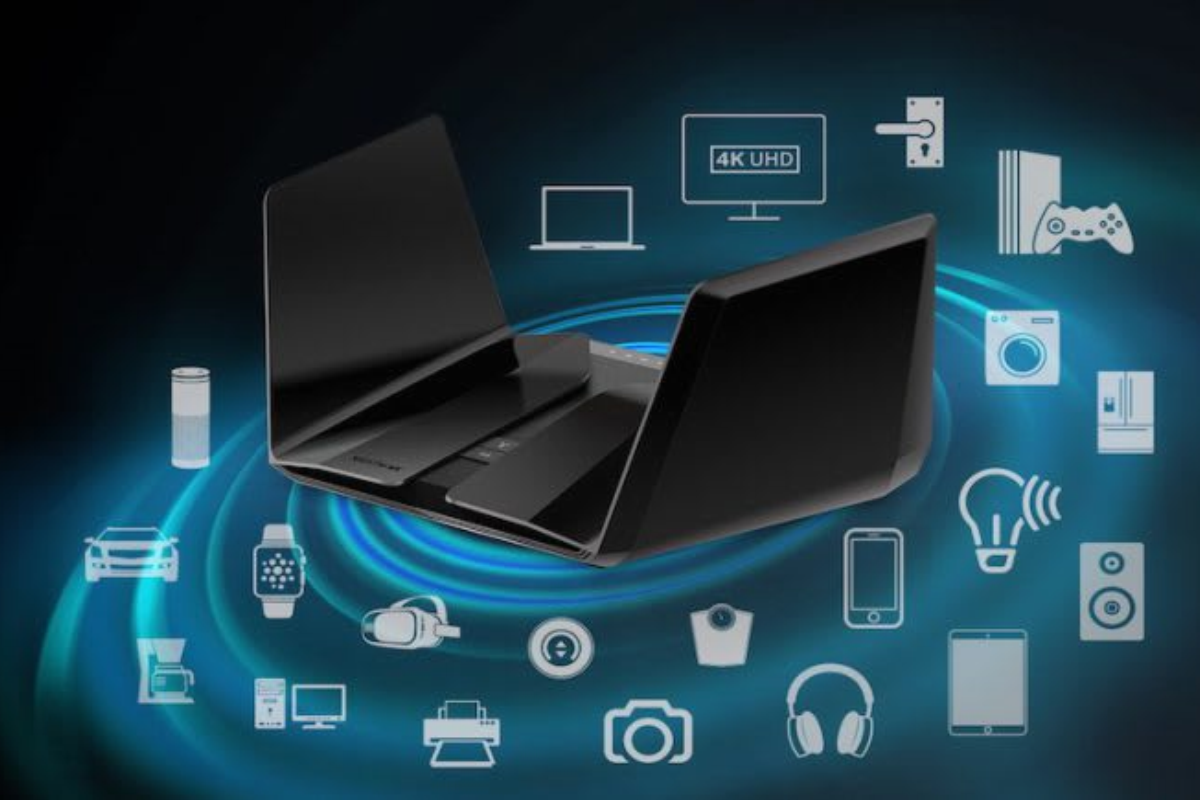
Among the pioneer brands in the network technology space, NETGEAR stands out as a household name. Known for high-performance routers, mesh Wi-Fi technology, switches, and enterprise-grade networking gear, NETGEAR has continually pushed technological boundaries for decades. But with high performance often comes a premium price tag, and modern consumers frequently ask: Is NETGEAR still worth the investment in today’s crowded networking market?
This comprehensive review dives deep into every aspect of NETGEAR’s ecosystem—examining its history, product line, core technologies, software management, pricing structure, security features, performance metrics, and competitive positioning—to help you determine if NETGEAR is the right networking choice for your home or business.
What is NETGEAR?
NETGEAR is a multinational computer networking company that designs, develops, and markets networking hardware and connectivity solutions. The company serves three distinct sectors:
- Home Consumers: Delivering high-speed Wi-Fi routers, extenders, mesh systems, and cable modems designed for domestic media consumption, gaming, and smart home connectivity.
- Small to Medium Businesses (SMBs): Providing managed switches, business Wi-Fi access points, network-attached storage (NAS), and cloud management solutions through its NETGEAR Insight platform.
- Service Providers: Offering hardware tailored for telecommunications companies and service deployments globally.
NETGEAR focuses on democratizing enterprise-grade connectivity technology, making fast, reliable, and secure networking accessible to everyday users without requiring a master’s degree in network engineering.
Company Overview
Founded in 1996 by Patrick Lo and a group of engineers as a subsidiary of Bay Networks, NETGEAR initially aimed to supply high-quality networking gear to small businesses and consumers. Following Bay Networks’ acquisition by Nortel, NETGEAR spun off into an independent publicly traded entity (NASDAQ: NTGR) in 2003.
Headquartered in San Jose, California, in the heart of Silicon Valley, NETGEAR operates offices globally across North America, Europe, and the Asia-Pacific region. Over the last three decades, NETGEAR has maintained a strong track record of technological firsts, including early adoptions of Wi-Fi 5, Wi-Fi 6/6E, and Wi-Fi 7 protocols, as well as pioneering high-performance gaming routers under the Nighthawk sub-brand and premium mesh networks under the Orbi sub-brand.
NETGEAR Products & Networking Solutions
NETGEAR’s portfolio spans a vast selection of networking equipment tailored to meet different performance demands and budgets:
- Wireless Routers: Standalone devices offering multi-band Wi-Fi connectivity for small-to-large single-level spaces.
- Mesh Wi-Fi Systems (Orbi): Multi-node systems designed to distribute seamless coverage across expansive, multi-story properties.
- Gaming Routers (Nighthawk): Hardware engineered for low latency, low jitter, and specialized packet prioritization.
- Wi-Fi Range Extenders: Wall-plug or desktop devices that repeat existing Wi-Fi signals into blind spots.
- Cable Modems & Modem-Router Combos: High-speed DOCSIS 3.1 hardware that eliminates monthly internet provider rental fees.
- Mobile Hotspots (Nighthawk M-Series): Portable 4G LTE and 5G cellular modems for connectivity on the go.
- Unmanaged & Managed Ethernet Switches: Wired connectivity hardware spanning simple desktop switches to fully managed 10G/Multi-Gig enterprise rackmount solutions.
- Business Access Points & Insight Solutions: Cloud-managed Access Points delivering secure multi-SSID environments for corporate settings.
Key Features of NETGEAR Explained
NETGEAR devices incorporate advanced software and hardware innovations that set them apart from standard internet provider rental units:
Tri-Band & Quad-Band Architecture
While standard routers offer Dual-Band (2.4GHz and 5GHz) connectivity, NETGEAR’s flagship Orbi and Nighthawk models feature Tri-Band or Quad-Band architectures. By dedicating an entire high-speed wireless band solely as a backhaul channel between nodes, NETGEAR mesh systems maintain maximum throughput across all connected satellite nodes without speed degradation.
Multi-Gigabit & 10G Ports
Modern high-speed fiber and cable broadband plans frequently exceed 1 Gbps. NETGEAR equips many of its premium routers and switches with 2.5G, 5G, and 10G WAN/LAN ports, preventing physical bottlenecks and ensuring your hardware can deliver your ISP’s full speed.
MU-MIMO & OFDMA Technology
Multi-User, Multiple-Input, Multiple-Output (MU-MIMO) along with Orthogonal Frequency-Division Multiple Access (OFDMA) allow NETGEAR routers to communicate simultaneously with dozens of connected devices. Instead of queuing requests sequentially, bandwidth is broken down into sub-channels, ensuring smart TVs, phones, laptops, and IoT gear communicate concurrently without delay.
Beamforming+ Technology
Rather than broadcasting Wi-Fi signals uniformly in every direction, NETGEAR’s proprietary Beamforming+ locks onto physical devices and directs focused radio frequency beams toward them, improving signal strength, range, and stability.
NETGEAR WiFi Routers & Nighthawk Series
For power users, media enthusiasts, and competitive gamers, the NETGEAR Nighthawk line represents the high-water mark of standalone router performance.
Featuring aggressive, futuristic designs reminiscent of stealth fighter aircraft, Nighthawk routers are engineered around raw performance. Powered by multi-core processors, multi-gigabit WAN/LAN ports, and high-gain external antennas, Nighthawk routers comfortably handle heavy bandwidth loads.
Key Highlights of the Nighthawk Line:
- Dedicated Quality of Service (QoS): Intelligently prioritizes latency-sensitive traffic such as online gaming packets (e.g., Call of Duty, Fortnite) or video conferencing streams over lower-priority downloads.
- DumaOS Integration (on select Pro Gaming models): Features specialized software platforms providing real-time network resource management, geo-filtering (to lock onto the closest gaming servers), and granular traffic shaping.
- Wi-Fi 6E & Wi-Fi 7 Capabilities: Unlocks the ultra-wide 6GHz wireless spectrum, offering clear channels free from interference caused by microwave ovens or neighboring wireless networks.
For single-story homes, large apartments, or dedicated gaming setups, a Nighthawk standalone router remains one of the fastest options available.
NETGEAR Orbi Mesh WiFi Systems
If high-speed connectivity throughout a multi-story home, basement, or backyard is your primary requirement, traditional single routers often leave dead zones behind thick walls or across large distances. This is where the NETGEAR Orbi mesh family shines.
Unlike conventional Wi-Fi extenders that halve your speeds, Orbi uses a primary router unit paired with one or more satellite units that create a single, seamless, uniform network name (SSID).
Why Orbi Leads the Mesh Category:
- Dedicated Backhaul: Orbi systems feature a dedicated wireless backhaul lane (or 10Gbps wired backhaul option) between the router and satellites. This ensures your devices connected to a distant satellite experience the same low latency and high speeds as if they were standing right next to the main router.
- Extensive Coverage: A typical 3-pack Orbi system easily covers 6,000 to 10,000+ square feet, eliminating signal drop-offs completely.
- Aesthetic Design: Unlike the aggressive styling of the Nighthawk line, Orbi nodes feature elegant, minimalist tower designs that blend into home decor smoothly.
While Orbi systems sit at the higher end of the pricing spectrum, their raw throughput and rock-solid reliability make them a favorite choice for large smart homes with dozens of active devices.
NETGEAR WiFi Extenders & Modems
Range Extenders
For consumers who do not want to invest in a full mesh network upgrade, NETGEAR offers a comprehensive range of Wi-Fi extenders. Using Smart Roaming technology, these devices extend your existing router’s Wi-Fi signal under a single network name, preventing annoying disconnects and reconnects as you walk through your home.
Cable Modems & Combo Units
Renting a modem from your internet service provider (ISP) can cost between $10 to $20 per month in rental fees. NETGEAR’s Nighthawk DOCSIS 3.1 cable modems allow users to purchase their equipment outright, paying for itself in under two years while delivering superior performance. These modems support major providers like Xfinity, Spectrum, and Cox, capable of supporting multi-gigabit speed tiers effortlessly.
NETGEAR Mobile Hotspots
When you need high-speed connectivity while traveling, remote working, or on job sites, NETGEAR’s Nighthawk M-Series (e.g., M6 & M6 Pro) mobile hotspots lead the market.
These compact, battery-powered unlocked devices convert 4G LTE and 5G cellular networks into private Wi-Fi networks.
- Gigabit Speeds On the Go: Multi-Gigabit cellular modems coupled with Wi-Fi 6/6E deliver fast, secure connections everywhere cellular service reaches.
- Enterprise Mobility: Includes ethernet ports for wired connection setups, guest network profiles, and long-lasting removable batteries.
- Secure Alternative to Public Wi-Fi: Provides remote workers and travelers with a encrypted connection, avoiding unsecured public Wi-Fi networks at airports or coffee shops.
NETGEAR Business & Enterprise Networking Solutions
Beyond home connectivity, NETGEAR offers business-grade networking hardware tailored for offices, retail stores, educational facilities, and hospitality venues through its NETGEAR Business division.
Key Business Offerings:
- Unmanaged & Smart Managed Switches: High-density Power over Ethernet (PoE/PoE+) switches capable of powering IP security cameras, VoIP phones, and wireless access points directly over Ethernet cables.
- ProAV Solutions: Specialized AV-over-IP network switches designed for video wall installations, live broadcasts, and commercial displays with zero-latency audio/video streaming.
- Insight Cloud Management: A subscription-based centralized dashboard that allows IT administrators or managed service providers (MSPs) to remotely monitor, configure, and troubleshoot network equipment across multiple physical locations using a mobile app or web browser.
NETGEAR Setup & Installation Process
Historically, setting up a home network required accessing complex browser setup pages (192.168.1.1) and navigating technical terminology. NETGEAR has streamlined this onboarding experience significantly across its product line.
Mobile App Onboarding
- Unpack & Connect: Plug the NETGEAR router or modem into your internet gateway and power outlet.
- Scan QR Code: Download the NETGEAR Nighthawk or NETGEAR Orbi app on iOS or Android and scan the QR code located on the base of the device.
- Automated Cable/Fiber Detection: The app automatically detects your connection type, configures your IP address, and optimizes channel settings.
- Customization: Set your custom network name (SSID), master administrator password, and security preferences.
For advanced users, NETGEAR retains a traditional web browser admin portal, providing complete control over IP reservation, port forwarding, static routes, VPN server hosting, and DNS settings.
NETGEAR App, Smart Controls & Network Management
The dedicated Nighthawk and Orbi apps function as full control centers for your home network. Through a clean interface, users can perform several key functions:
- Remote Management: Access and control your home Wi-Fi network settings even when you are away from home.
- Device Pause & Access Control: Instantly block or pause internet access to individual connected devices with a single tap.
- Speed Test: Run integrated Ookla speed tests directly from the router level to verify whether your ISP is delivering promised speeds.
- Guest Network Creation: Set up an isolated secondary Wi-Fi network for visitors, keeping your internal smart home devices, NAS, and computers private and secure.
- Traffic Monitoring: Track total bandwidth consumption across days, weeks, or months to avoid data overage penalties from your ISP.
NETGEAR Security, Privacy & Protection Features
With smart TVs, security cameras, smart locks, and personal computers connected to a single home network, cybersecurity is a top priority. NETGEAR addresses this with a multi-layered security ecosystem:
NETGEAR Armor (Powered by Bitdefender)
NETGEAR Armor is an integrated software security suite built directly into Nighthawk and Orbi routers. Unlike desktop antivirus software that must be installed on every device individually, NETGEAR Armor protects every device connected to the network right at the router level.
- Vulnerability Scanning: Continuously scans connected IoT devices for weak passwords, open ports, and outdated firmware.
- Real-time Threat Prevention: Blocks malicious websites, phishing scams, ransomware attempts, and drive-by downloads.
- Data Theft Protection: Encrypts outgoing sensitive data and alerts you if credentials or personal information are compromised.
- Bitdefender Total Security Included: Provides downloadable endpoint protection software for smartphones, PCs, and Macs at no extra charge while subscribed.
WPA3 Security Protocols
Modern NETGEAR equipment features WPA3 encryption, protecting against brute-force password attacks and ensuring personal data sent over wireless networks remains safe.
NETGEAR Pricing & Subscription Plans
While NETGEAR’s entry-level devices are priced accessibly, its flagship hardware and software offerings carry premium prices.
Hardware Pricing Spectrum:
- Budget/Entry-Level Routers & Extenders: $40 – $120
- Mid-Tier Nighthawk Wi-Fi 6 Routers: $150 – $300
- Flagship Nighthawk & Orbi Mesh Systems (Wi-Fi 6E/7): $500 – $1,500+
- 5G Mobile Hotspots: $499 – $999
Optional Subscription Services:
While your NETGEAR hardware functions fully right out of the box without extra fees, premium features carry recurring subscriptions:
- NETGEAR Armor Security: Approx. $99.99/year (following a 30-day free trial).
- Smart Parental Controls Premium: Approx. $7.99/month or $69.99/year for expanded features like scheduled internet pauses, content filtering by age, and reward-based screen time systems.
- Insight Cloud Management (For Business): Approx. $9.99 to $25 per device annually.
While subscription fees can add to long-term costs, the protection and features offered provide peace of mind for families and businesses alike.
Pros & Cons
To evaluate whether NETGEAR is the right fit for your needs, consider its primary strengths and drawbacks:
Pros
- Industry-Leading Speed & Range: Exceptional raw performance, broad coverage, and low-latency throughput across both standalone and mesh configurations.
- Dedicated Backhaul Architecture: Tri-band and Quad-band Orbi systems maintain full internet speeds across satellite nodes without signal loss.
- Rich Hardware Ecosystem: Comprehensive selection ranging from budget extenders to high-end 10G business switches and mobile 5G hotspots.
- Comprehensive Cybersecurity: Router-level security powered by Bitdefender protects connected smart devices, phones, and computers.
- Advanced Controls: Detailed browser management console provides complete customization for networking power users.
- Reliable Hardware Quality: Sturdy construction and reliable components build hardware designed to last for years.
Cons
- Premium Pricing: Top-tier Nighthawk and Orbi systems represent a significant upfront investment compared to basic competitors.
- Subscription Model Reliance: Full access to advanced parental controls and comprehensive router security requires ongoing annual paid subscriptions.
- Customer Support Limitations: Complimentary technical support lasts only 90 days from purchase; extended support requires buying a ProSupport service plan.
- Bulky Hardware Footprint: High-performance models feature larger physical footprints and bold designs that may not suit every decor style.
User Experience & Network Performance
In real-world performance tests, NETGEAR products consistently earn top marks in signal stability, multi-device throughput, and coverage consistency.
Real-World Testing Observations:
- Multi-Device Handling: In homes with 30+ connected devices (smart TVs, phones, tablets, smart plugs, laptops, and cameras running concurrently), NETGEAR Wi-Fi 6 and Wi-Fi 7 hardware handles heavy streams without buffer pauses or dropped connections.
- Wall Penetration: Thanks to high-power amplifiers and Beamforming+, NETGEAR hardware maintains strong, stable connections through drywall, brick walls, and hardwood floors.
- Gaming & Latency: The Nighthawk line maintains low ping jitter during competitive gaming sessions, keeping latency stable even when another home user streams 4K video simultaneously.
The initial setup takes under 15 minutes via the mobile app, and day-to-day management remains simple and intuitive.
NETGEAR Customer Support & Warranty
Hardware Warranty Coverage
Most consumer NETGEAR devices come with a standard 1-Year Limited Hardware Warranty (or 2 years depending on local region regulations), while enterprise business switches often include limited lifetime warranties.
Technical Support Options
- 90-Day Complimentary Technical Support: NETGEAR provides 90 days of free phone and live-chat technical setup support following product purchase.
- GearHead Tech Support / ProSupport: Once 90 days elapse, phone support requires purchasing a paid support package (GearHead for consumers, ProSupport for enterprise).
- Self-Help Ecosystem: NETGEAR maintains an extensive free self-help ecosystem, including an active user community forum, video guides, detailed product manuals, and clear knowledge-base articles.
NETGEAR vs Competitors
How does NETGEAR hold up when compared head-to-head with other top networking brands?
| Feature / Brand | NETGEAR | TP-Link | ASUS | Linksys | Eero (Amazon) | Google Nest WiFi |
| Primary Focus | High Performance & Business | Value & Affordability | Customization & Gaming | Reliability & Mesh | Simplicity & Integration | Clean Design & Simplicity |
| Peak Throughput | Extremely High | High | Very High | High | Medium – High | Medium |
| Mesh Ecosystem | Orbi (Dedicated Backhaul) | Deco | AiMesh | Velop | Eero Mesh | Nest Mesh |
| Advanced Management | App + Full Web Portal | App + Web Portal | Advanced Web Portal | App + Basic Portal | App Only | App Only (Google Home) |
| Security Suite | NETGEAR Armor | HomeShield | AiProtection (Free) | Shield | Eero Plus | Standard Security |
| Price Range | Premium | Budget to Mid-Range | Mid-Range to Premium | Mid-Range to Premium | Mid-Range | Mid-Range |
Strategic Comparison Summary:
- NETGEAR vs TP-Link: TP-Link offers exceptional budget-friendly alternatives, but NETGEAR dominates in top-tier performance, speed consistency, and hardware build quality.
- NETGEAR vs ASUS: ASUS provides free built-in security without subscriptions and offers custom firmwares, but NETGEAR’s Orbi mesh hardware generally outperforms ASUS AiMesh setups across larger spaces.
- NETGEAR vs Eero / Google Nest: Eero and Google Nest prioritize simple app management and low footprints, but lack physical multi-gigabit Ethernet ports, dedicated backhaul bands, and advanced web customization options that NETGEAR offers natively.
Who Should Use NETGEAR?
NETGEAR products cater to specific user profiles and connectivity needs:
Ideal For:
- Large Families & Smart Homes: Houses with 40+ connected devices that require high bandwidth without slowdowns.
- Competitive Gamers & Content Creators: Users requiring ultra-low latency, prioritization features, and fast multi-gigabit upload/download speeds.
- Remote Professionals & Home Offices: Individuals who need dedicated network stability, secure VPN access, and reliable video calls.
- Small & Medium Businesses: Organizations needing robust PoE switches, cloud-managed access points, and isolated guest networks.
- Travelers & Field Workers: Users needing fast, secure 5G cellular Wi-Fi hotspots on the move.
Less Suited For:
- Strictly Budget-Conscious Buyers: Users looking for simple $30–$50 basic Wi-Fi setups without advanced feature sets.
- Users Wanting Zero Subscriptions: Buyers who want lifetime premium security software or advanced parental controls built-in for free without recurring fees.
Expert Verdict
NETGEAR continues to earn its position as a leading brand in the consumer and commercial networking industry. By consistently staying ahead of wireless standards (Wi-Fi 6, 6E, and Wi-Fi 7) and maintaining dedicated hardware backhauls in its mesh lines, NETGEAR devices deliver top-tier speed, coverage, and performance.
While the high purchase price of flagship Orbi and Nighthawk models—combined with optional software subscription models—may pause budget-conscious shoppers, the investment pays off in everyday reliability, signal coverage, and multi-device performance.
If you value fast speeds, complete coverage, advanced management options, and strong network security, NETGEAR remains one of the most reliable networking investments you can make today.
Frequently Asked Questions (FAQs)
Does NETGEAR require a monthly subscription fee to work?
No. All NETGEAR routers, mesh systems, and modems function completely out of the box without any recurring subscription fees. Optional paid subscriptions (such as NETGEAR Armor security or Smart Parental Controls Premium) add extra functionality but are entirely optional.
Can I use a NETGEAR router with any Internet Service Provider (ISP)?
Yes. NETGEAR standalone Wi-Fi routers and Orbi mesh systems work with virtually all ISPs (including Xfinity, Spectrum, AT&T, Verizon Fios, CenturyLink, and local fiber providers). You simply connect the NETGEAR router’s WAN port to your ISP’s modem or optical network terminal (ONT).
What is the main difference between NETGEAR Nighthawk and Orbi?
Nighthawk routers are high-performance standalone devices designed for maximum single-point speed, direct Ethernet connectivity, and online gaming features. Orbi is a multi-node mesh system designed to eliminate Wi-Fi dead spots and provide seamless coverage across large homes or properties.
Is NETGEAR Armor security worth the annual price?
If your household connects smart TV platforms, smart home IoT hardware (cameras, doorbells, locks), and multiple personal devices, NETGEAR Armor provides value by blocking malware, ransomware, and unauthorized intrusions at the network gateway level. It also includes endpoint security software for your individual devices.
How long do NETGEAR routers typically last?
A high-quality NETGEAR router typically offers 4 to 7 years of reliable performance. Hardware degradation is rare; most users upgrade to access newer wireless standards (such as upgrading from Wi-Fi 5 to Wi-Fi 6/7) rather than due to hardware failure.
Final Conclusion
Selecting the right network infrastructure is critical to enjoying modern digital experiences without frustration, buffering, or signal drops. NETGEAR’s broad lineup—spanning high-octane Nighthawk routers, powerful Orbi mesh systems, durable mobile hotspots, and enterprise switches—provides hardware options for every connectivity need.
If you are looking to eliminate Wi-Fi dead zones, protect your connected devices, upgrade to multi-gigabit speeds, or power an entire business network, NETGEAR provides a reliable, secure, and future-proof choice that continues to set standard benchmark scores across the industry.
