

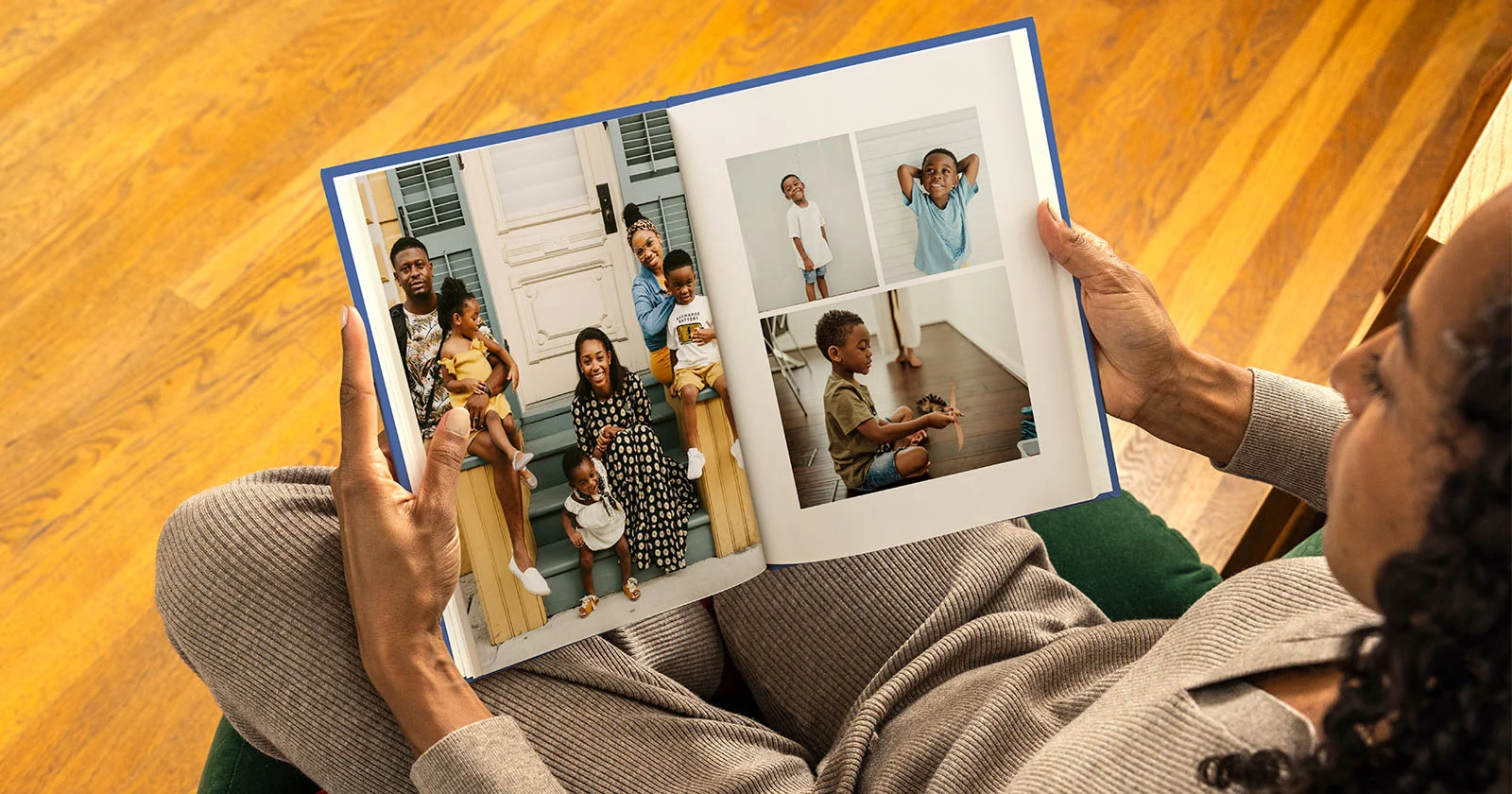
In an era dominated by smartphone photography and cloud storage, millions of cherished memories remain trapped on digital screens, rarely seen after the moment they are captured. Transforming those digital snapshots into tangible, museum-grade keepsakes requires a platform that combines intuitive design software with exceptional print craftsmanship. Among the many online photo printing services available today, Mixbook (https://www.mixbook.com/) has consistently stood out as a top contender for consumers who value creative freedom and heirloom-quality production.
Whether you are compiling a wedding album, designing a baby’s first-year memory book, creating custom holiday cards, or assembling a travel photobook, choosing the right printing platform makes all the difference. In this comprehensive, 2,500-word Mixbook review, we will examine everything the platform offers—from its browser-based Mixbook Studio and AI-powered Story Mode to its paper stocks, binding options, pricing tiers, shipping policies, and how it stacks up against industry giants like Shutterfly, Snapfish, Artifact Uprising, and Printique.
What Is Mixbook?
Mixbook is a leading online personalized photo product platform that enables users to design, customize, and order high-resolution photo books, greeting cards, calendars, and home decor. Founded on the principle of “empowering people to tell their stories,” Mixbook distinguishes itself from rigid template-based competitors by offering a completely flexible, drag-and-drop canvas alongside hundreds of curated, designer-made themes.
Unlike traditional photo-printing services that lock users into strict grid layouts, Mixbook functions much like a simplified graphic design suite tailored specifically for photography. Users can upload images from their desktop, smartphone, Google Photos, Instagram, or SmugMug, arrange them freely on virtual pages, customize typography, add layered stickers and backgrounds, and have the finished product printed and shipped directly to their doorstep.
Mixbook Overview
Mixbook was founded in 2006 by Andrew Laffoon and Aryk Grosz, two entrepreneurs from the University of California, Berkeley, who recognized a major gap in the digital photography market. At the time, digital cameras were becoming ubiquitous, yet existing online photo book tools were clunky, restrictive, and aesthetically dated. Laffoon and Grosz set out to build a modern, collaborative web application that gave everyday users professional-level design control without requiring graphic design experience.
Headquartered in Redwood City, California, Mixbook has grown into one of the most respected names in the personalized photo industry. Over the past two decades, the company has shipped millions of custom photo products worldwide, formed partnerships with independent artists and stationery designers, and earned top rankings from major consumer publications—including Wirecutter (The New York Times), PCMag, and Tom’s Guide—frequently being named the #1 online photo book service overall.
Products & Services Offered by Mixbook
While custom photo books remain Mixbook’s flagship offering, the platform has expanded its catalog to cover a wide spectrum of personalized print and gift categories:
Custom Photo Books: Available in softcover, hardcover, and lay-flat hardcover formats across multiple sizes (ranging from compact 6×6″ square books to expansive 14×11″ landscape coffee table albums).
Cards & Stationery: Fully customizable flat and folded cards for holidays, weddings (save-the-dates, invitations, RSVP cards, thank-you notes), graduations, baby announcements, and birthdays.
Custom Calendars: Personalized 12-month wall calendars and desk calendars where users can highlight family birthdays, anniversaries, and custom milestones directly on individual dates.
Home Decor & Wall Art: Gallery-wrapped canvas prints, framed prints, metal prints, acrylic prints, and poster prints designed to showcase high-resolution photography in living spaces.
Photo Prints: Classic archival-grade photo prints in standard and square dimensions with matte or glossy finishes.
Mixbook Mobile App & Story Mode: Dedicated iOS and Android applications featuring automated photo curation, smart layout generation, and seamless project syncing with the desktop web studio.
Key Features of Mixbook Explained
Mixbook’s enduring popularity stems from a thoughtful blend of user-friendly automation and deep manual customization:
100% Flexible Design Canvas: Every element on a Mixbook page—photos, text boxes, stickers, shapes, and backgrounds—can be moved, resized, rotated, layered, or deleted at will.
Extensive Designer Theme Library: Over 500 professionally designed templates spanning travel, weddings, babies, family yearbooks, recipes, portfolios, and seasonal events.
Multi-Source Photo Importing: Direct integration with local device storage, Google Photos, Facebook, Instagram, and SmugMug, plus QR-code mobile upload tools for transferring phone photos straight to your desktop screen.
Collaborative Editing: Users can invite family members, friends, or event guests to contribute photos and collaborate on a shared project—ideal for group gifts, wedding guest books, or family reunions.
Auto-Fill & Smart Layouts: For users short on time, Mixbook’s intelligent layout engine automatically places uploaded photos into balanced spreads while avoiding awkward cropping.
High-Resolution Print Warnings: Real-time alerts notify users if an uploaded image has insufficient resolution for its selected frame size, preventing blurry or pixelated prints.
Photo Book Creation & Customization Tools
The heart of the Mixbook experience is its browser-based Mixbook Studio, which requires no software downloads or plugins. Once you select a project type and theme, you enter an intuitive workspace divided into a left-hand asset toolbar, a central live preview canvas, and a bottom page-navigation ribbon.
Photo Editing & Filters: Inside the editor, you can crop, zoom, rotate, adjust brightness/contrast/saturation, apply vintage or black-and-white filters, and add drop shadows or custom borders to individual photos.
Typography & Text Control: Mixbook provides dozens of curated fonts—ranging from modern sans-serifs to romantic wedding scripts—with granular control over font size, color, line spacing, alignment, and opacity.
Stickers & Embellishments: Thousands of vector-style illustrations, ribbons, badges, travel stamps, floral accents, and seasonal graphics can be layered over photos or backgrounds.
Backgrounds & Page Layouts: Even if you start with a specific theme, you can mix and match page layouts and backgrounds from completely different themes within the same book, giving you limitless aesthetic versatility.
Mixbook Studio & AI-Powered Story Mode
To bridge the gap between blank-canvas freedom and effortless speed, Mixbook introduced AI-Powered Story Mode alongside its classic Mixbook Studio. Creating a 40-page photo book from hundreds of vacation or family photos used to take hours of manual sorting; Story Mode streamlines that workflow dramatically.
Using intelligent image recognition and metadata analysis, Story Mode scans your selected photo library to:
Filter Out Clutter: Automatically identifies and hides blurry shots, accidental screenshots, receipts, and near-duplicate bursts.
Group Memories Chronologically & Contextually: Organizes photos into cohesive chapters or spreads based on timestamps, locations, and visual themes.
Suggest Optimal Layouts: Pairs horizontal and vertical photos with complementary multi-photo grids and focal-point spreads.
Seamless Transition to Full Editing: Once Story Mode generates a complete draft in minutes, you can open the project directly in Mixbook Studio to fine-tune captions, swap stickers, adjust covers, or tweak individual photo crops.
This hybrid approach makes Mixbook equally appealing to perfectionist scrapbookers and busy parents who want a finished album in under 15 minutes.
Custom Photo Books, Cards & Calendars
Custom Photo Books
Mixbook’s photo books come in a versatile range of formats to suit different budgets and occasions:
Softcover Photo Books: Lightweight, flexible, and budget-friendly, ideal for casual travel journals, kids’ books, or gifts.
Classic Hardcover Photo Books: Durable matte or glossy laminated covers with standard binding, available in square (6×6″, 8.5×8.5″, 10×10″, 12×12″), landscape (8.5×6″, 11×8.5″, 14×11″), and portrait (8.5×11″) orientations.
Lay-Flat Hardcover Photo Books: Mixbook’s signature premium option. Thick, rigid pages are hinged to open completely flat at a 180-degree angle with virtually no center gutter crease—essential for panoramic landscapes and two-page wedding spreads.
Cards & Stationery
Mixbook’s card studio allows full customization of both the front and back (and inside for folded cards). Users can choose from signature matte, pearl shimmer, or luxe cotton paper stocks, select square or rounded trim corners, and even order free or low-cost sample kits before committing to large wedding invitation orders.
Custom Calendars
Available in 8.5×11″ and 11×14″ wall formats as well as compact desk calendars, Mixbook calendars let you start on any month of the year. Beyond adding photos to the top half, you can insert tiny thumbnail photos and custom text directly into individual date squares to commemorate family birthdays and anniversaries.
How Does Mixbook Work?
Creating and ordering a project on Mixbook follows a straightforward five-step workflow:
Choose Your Product & Format: Select whether you want a photo book, card, calendar, or wall art, then pick your preferred dimensions and cover style (note that cover type and page paper can also be upgraded later during checkout).
Select a Theme or Start from Scratch: Browse hundreds of designer themes filtered by occasion and style, or choose a blank white canvas for total minimalism.
Upload Your Photos: Import images from your computer, phone (via QR scan), Google Photos, Instagram, or SmugMug.
Customize in Mixbook Studio (or Use Story Mode): Let Story Mode auto-populate your pages, or manually drag, drop, resize, caption, and embellish every spread.
Preview, Proof & Order: Use the interactive full-screen book previewer to inspect every page for typos, alignment, or resolution warnings, choose your paper finish and shipping speed, and place your order.
Mixbook Pricing & Membership Overview
Mixbook operates on an a-la-carte, pay-per-project pricing model rather than requiring a paid monthly subscription. Base prices include a standard 20-page count for photo books, with additional pages priced per sheet.
| Product / Upgrade | Typical Starting Price (USD) | Notes |
| Softcover Photo Book (8.5×6″ or 6×6″) | ~$19.99 – $24.99 | Includes 20 pages; extra pages ~$0.99 each |
| Hardcover Photo Book (8.5×8.5″) | ~$34.99 – $39.99 | Matte or glossy cover; 20 pages included |
| Hardcover Photo Book (11×8.5″ Landscape) | ~$44.99 – $49.99 | Most popular size for family & travel albums |
| Lay-Flat Hardcover Photo Book (8.5×8.5″+) | ~$64.99 – $89.99+ | Thick, flush-mount style pages; extra pages ~$1.99–$2.99 |
| Custom Holiday / Greeting Cards | ~$1.49 – $2.99 per card | Volume discounts apply for larger quantities |
| Custom Wall Calendar (11×8.5″) | ~$24.99 – $29.99 | 12-month customizable grid |
| Canvas & Framed Wall Art | ~$39.99 – $149.99+ | Varies by dimensions and frame material |
Promotions & Discounts: While Mixbook’s retail list prices sit in the mid-to-upper tier, the company runs frequent sitewide promotions—often offering 30% to 50% off first-time orders, seasonal sales, and bulk photo book orders. Creating a free Mixbook account also unlocks unlimited cloud project storage and email promo codes.
Pros & Cons
Pros
- Unmatched Creative Freedom: True drag-and-drop editing without restrictive grid locks.
- Superior Print & Lay-Flat Quality: Crisp color reproduction, rich contrast, and seamless 180-degree lay-flat binding.
- Curated, Modern Themes: Hundreds of stylish, contemporary templates created by independent designers.
- AI Story Mode + Manual Precision: Fast automated book building paired with granular customization tools.
- No Subscription Required: Free account with unlimited cloud storage for drafts and past projects.
- 100% Happiness Guarantee: Responsive customer service willing to reprint or refund flawed orders.
Cons
- Higher Base Prices Without Coupons: Full retail pricing on lay-flat books and extra pages is steeper than budget services like Snapfish (though promo codes regularly offset this).
- No Offline Desktop Software: Requires a stable internet connection to edit in the browser or mobile app.
- Fewer Novelty Trinkets: Focuses on paper prints, books, cards, and wall art rather than mugs, blankets, puzzles, or apparel.
Print Quality, Materials & Design Options
Print quality is where Mixbook truly justifies its reputation. Printed in state-of-the-art facilities using archival-grade inks and sustainably sourced papers, Mixbook books exhibit accurate skin tones, deep blacks, and sharp detail without artificial oversaturation.
-
Paper Stocks:
-
Semi-Gloss (Standard): Smooth finish with a subtle sheen that makes vibrant colors pop.
-
Satin Finish: Slightly softer sheen with reduced glare, great for bright outdoor photography.
-
Pearl Finish: Infused with subtle shimmer particles, ideal for wedding and formal portrait books.
-
Premium Matte / Archival Lay-Flat Paper: Heavyweight, velvety, non-reflective paper that feels substantial between your fingers and resists fingerprints.
-
- Cover Finishes: Hardcover books come in either a sleek matte finish (modern, tactile, glare-free) or a vibrant glossy finish (wipeable and high-contrast), alongside fabric-textured designer cover themes.
- Binding Durability: Standard hardcover books use library-grade binding built to withstand years of page turning, while lay-flat books feature thick board-like pages bonded cleanly at the spine so two-page spreads align seamlessly.
User Experience & Website Navigation
Mixbook’s website is clean, fast, and thoughtfully organized. Categories are clearly segmented in the top navigation bar by product type and occasion, making it effortless to filter templates by style (minimalist, modern, rustic, whimsical, vintage), color palette, or photo count.
Inside Mixbook Studio, the user interface strikes an impressive balance between power and simplicity:
Undo/Redo History & Auto-Save: Projects save automatically in the cloud, preventing lost progress.
Alignment Guides: Subtle pink snap-to-grid lines appear dynamically as you drag photos or text boxes, ensuring clean margins and symmetrical spacing without manual measuring.
Zero Clutter: Advanced controls (opacity, layering order, shadow angle) stay tucked neatly out of the way until you click on an object.
Shipping, Delivery & Return Policy
Mixbook prints custom orders on demand, meaning production time is factored alongside transit time:
- Production Time: Most photo books, cards, and calendars take 2 to 4 business days to print, bind, and pass quality inspection.
- Shipping Tiers (US & International):
-
-
Budget / Economy Shipping: ~7–10 business days total delivery.
-
Standard Shipping: ~5–7 business days total delivery.
-
Priority & Express Shipping: ~2–4 business days total delivery for last-minute gifts.
-
International Shipping: Available to Canada, the UK, Australia, Europe, and numerous other regions worldwide.
-
-
Return & Reprint Policy: Because every item is custom-printed with personal photographs, Mixbook does not accept standard “change-of-mind” returns for resale. However, if an order arrives damaged in transit, suffers from a printing defect, or fails to meet your expectations, Mixbook’s 100% Happiness Guarantee covers free replacements, account credits, or refunds.
Customer Support & Satisfaction Guarantee
Customer support is one of Mixbook’s strongest differentiators. Users can reach support specialists via 24/7 live chat, email ticketing, and phone support. Unlike automated bots that trap users in endless loops, Mixbook’s live chat connects quickly to knowledgeable human agents who can inspect your saved project file in real time, help resolve layout or resolution issues before printing, or issue immediate reprint orders if something goes wrong.
Their 100% Happiness Guarantee provides genuine peace of mind—even if a user discovers a minor typo or layout mistake they overlooked prior to printing, Mixbook support frequently offers generous reprint discounts or complimentary fixes to ensure customer satisfaction.
Safety, Privacy & Trustworthiness
Uploading personal family photos, children’s portraits, and private wedding memories requires high trust in a platform’s data security:
Photo Ownership: You retain 100% copyright and ownership of all uploaded photographs. Mixbook never sells or licenses customer images to third parties.
Private by Default: All projects are private to your account unless you explicitly generate a shareable link or invite collaborators via email.
Encrypted Transfers & Payments: The platform uses industry-standard SSL/TLS encryption for photo uploads and PCI-compliant payment processing.
Long-Standing Reputation: With nearly 20 years of continuous operation, an A+ Better Business Bureau profile, and tens of thousands of verified 4.8+ star customer reviews, Mixbook is widely regarded as a reliable, trustworthy brand.
Mixbook vs Competitors (Shutterfly, Snapfish, Artifact Uprising, Printique, etc.)
How does Mixbook compare to other major online photo printing services?
| Platform | Best For | Design Flexibility | Print & Paper Quality | Pricing Tier |
| Mixbook | Best overall balance of creative control, modern themes & print quality | Exceptional (full drag-and-drop canvas + AI Story Mode) | Excellent (especially lay-flat & matte stocks) | Mid-to-Upper (frequent 30–50% promos) |
| Shutterfly | One-stop shop for novelty gifts (mugs, blankets, puzzles) & free unlimited photo storage | Moderate (more rigid templates; busier interface) | Good to Very Good | Mid-to-Upper (constant promo codes + shipping fees) |
| Snapfish | Ultra-budget prints and low-cost casual photo books | Basic to Moderate | Good (thinner standard pages) | Budget-Friendly |
| Artifact Uprising | Minimalist, editorial, heirloom linen-bound coffee table books | Minimalist / Curated (intentional design constraints) | Luxury / Museum-Grade | Premium / Expensive |
| Printique (by Adorama) | Professional photographers wanting silver-halide photo paper & leather albums | Moderate to Advanced | Pro Lab Quality | Premium |
Mixbook vs. Shutterfly: Shutterfly offers far more non-paper merchandise (pillows, ornaments, tote bags) and free unlimited photo storage, whereas Mixbook offers a cleaner editor, far more modern designs, and superior layout flexibility.
Mixbook vs. Snapfish: Snapfish wins on rock-bottom prices for basic prints and simple books, but Mixbook outperforms it significantly in paper weight, lay-flat binding, and template aesthetics.
Mixbook vs. Artifact Uprising & Printique: Artifact Uprising and Printique cater to luxury editorial and professional studio photographers at higher price points, while Mixbook delivers 95% of that luxury feel with dramatically easier design tools and better promotional pricing.
Who Should Use Mixbook?
Mixbook is an ideal fit for:
Couples & Newlyweds: Designing custom wedding albums, guest books, save-the-dates, and thank-you cards with lay-flat spreads and foil/pearl finishes.
Parents & Families: Creating annual family yearbooks, baby’s first-year milestones, and personalized birthday calendars.
Travel Enthusiasts: Turning vacation photography into coffee-table travelogues using maps, travel stickers, and panoramic spreads.
Creative DIYers & Scrapbookers: Anyone who gets frustrated by rigid templates and wants complete control over fonts, stickers, backgrounds, and layering.
Busy Gift-Givers: People who want to use AI Story Mode to assemble a thoughtful, personalized gift in minutes without sacrificing visual polish.
Expert Verdict
After evaluating its design software, print craftsmanship, paper options, and customer support, Mixbook earns its reputation as the best all-around online photo book and personalized photo gift platform. It hits a rare sweet spot: powerful enough to satisfy detail-oriented designers who want pixel-level control, yet intuitive enough—thanks to Mixbook Studio and AI Story Mode—that a complete beginner can build a stunning hardcover album in a single sitting.
While base retail prices for lay-flat upgrades and extra pages can climb quickly, taking advantage of Mixbook’s frequent 40–50% promotional discounts makes the value proposition virtually unbeatable.
Frequently Asked Questions (FAQs)
Is Mixbook free to use?
Yes. Creating an account, uploading photos, using Mixbook Studio, and storing unlimited projects in the cloud is completely free. You only pay when you decide to print and ship a physical product.
Does Mixbook offer lay-flat photo books?
Yes. Mixbook’s lay-flat hardcover books feature thick, rigid pages hinged to open completely flat at 180 degrees, eliminating the center crease so panoramic photos span seamlessly across two pages.
How many pages can a Mixbook photo book have?
Standard Mixbook photo books start at 20 pages and can be expanded up to 399 pages for standard hardcover/softcover books, and up to 98 pages for thick lay-flat hardcover books.
Can I edit a Mixbook project on my phone?
Yes. Mixbook offers dedicated iOS and Android apps featuring Story Mode, and projects sync with your Mixbook account so you can switch between mobile and desktop browsers.
Does Mixbook put its logo inside my photo book?
Mixbook places a small, discreet barcode/logo on the very last back page or inside back cover for production tracking, without plastering intrusive branding across your photo spreads.
Final Conclusion
Digital photos deserve more than a life buried in a smartphone camera roll. By pairing a remarkably intuitive drag-and-drop design studio and smart AI curation with archival-grade papers, crisp color accuracy, and seamless lay-flat binding, Mixbook makes preserving your most meaningful milestones both effortless and deeply rewarding. Whether you are crafting a once-in-a-lifetime wedding album, sending custom holiday greetings, or compiling a yearly family retrospective, Mixbook delivers the tools, quality, and peace of mind needed to turn everyday snapshots into lasting heirlooms.
